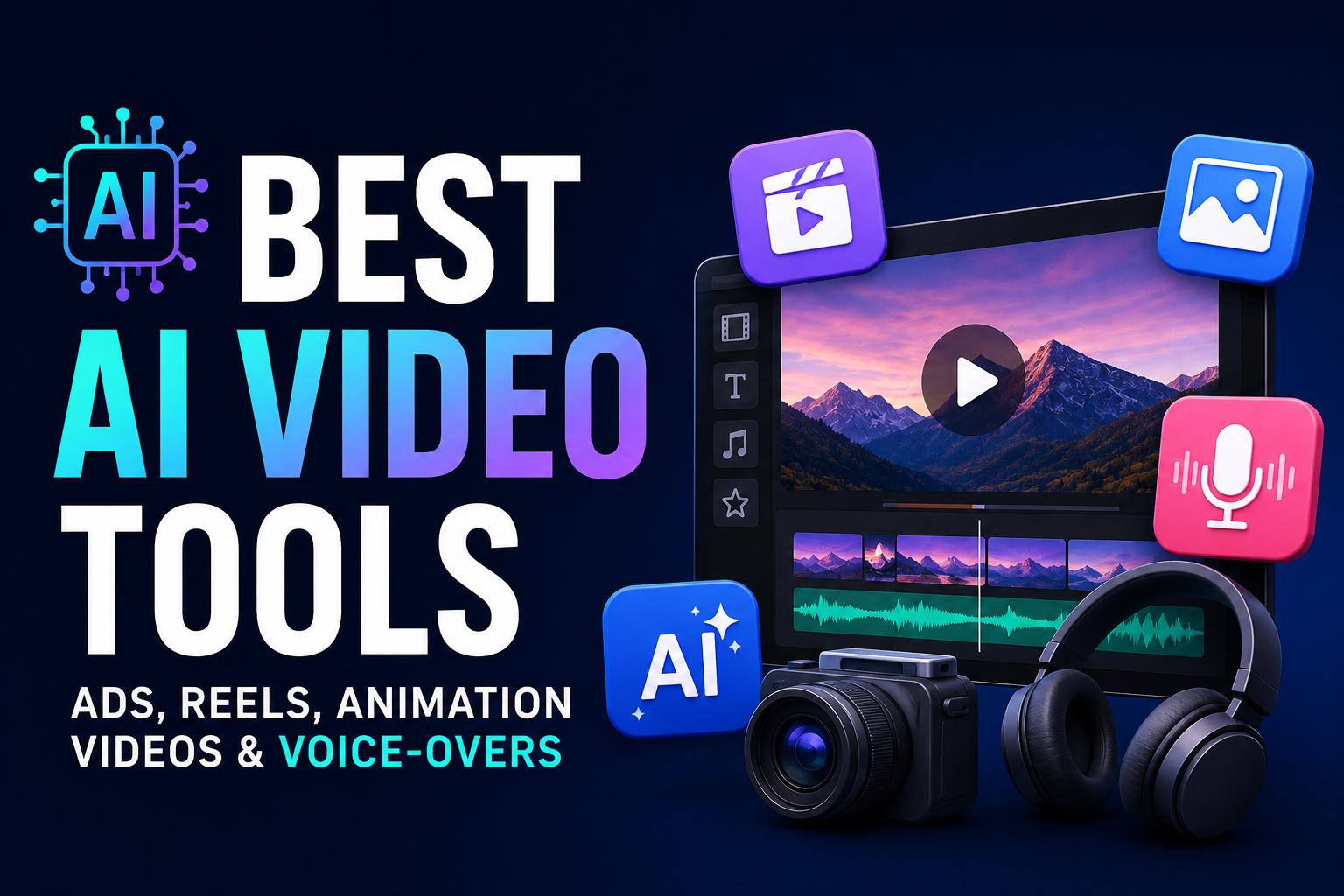

AI has completely changed the way videos are created.
A few years ago, producing a professional advertisement or social media video could require a camera, actors, editors, voice artists, animation software and several days of work.
Today, a creator can start with one idea or a short prompt and use AI to generate the script, visuals, voice-over, animation, captions and even the final video.
But there is one problem: there are now too many AI video tools.
Some are excellent for cinematic videos. Others are better for Instagram Reels, product ads, talking avatars, animation, editing or voice-over.
This guide compares the best AI tools for different video-creation jobs, including their free vs paid options, strengths, weaknesses and ideal use cases.
Quick Answer: Which AI Video Tool Should You Choose?
| Tool | Best For | Free Option | Paid From* |
|---|---|---|---|
| Runway | Cinematic AI videos & ads | Yes | Around $15/mo |
| Kling AI | Realistic videos & social content | Limited | Around $7/mo |
| Pika | Creative effects & Reels | Yes | $8/mo yearly |
| HeyGen | AI avatars & marketing videos | Yes | $29/mo |
| Canva | Simple ads, Reels & complete designs | Yes | Paid Pro plan |
| CapCut | Reels, Shorts & editing | Yes | Regional pricing |
| ElevenLabs | Voice-over & voice cloning | Yes | $5/mo |
| Synthesia | Business & training videos | Yes/trial | Paid plans |
| InVideo AI | Complete videos from prompts | Limited | Paid plans |
| Creatify | Product & UGC-style ads | Limited | Paid plans |
*Pricing changes frequently and can vary by region, billing cycle and credits. Always check the official pricing page before subscribing.
1. Runway — Best Overall for Professional AI Video


Best for: Cinematic videos, advertisements, product visuals and professional creative work.
Runway is one of the strongest choices if you want AI-generated footage that looks more like professionally produced video.
Its current platform includes multiple video-generation models and creative tools, making it useful for both generation and editing.
Runway’s Gen-4 and newer models can generate video from images and prompts, while its broader platform supports different creative workflows.
Free vs Paid
Runway currently provides a free plan with 125 one-time credits. These credits don’t renew after they are used.
Its paid plans use monthly credits. The Standard plan is aimed at lighter users, while Pro provides 2,250 credits and Max provides 9,500 credits per month.
Best for
- Cinematic advertisements
- Product videos
- Short films
- AI B-roll
- Social media videos
- Creative agencies
My verdict
★★★★★
If you want professional-looking AI video and don’t mind learning the tool, Runway is one of the best choices.
2. Kling AI — Excellent for Realistic AI Video


Best for: Realistic video, product visuals, social media content and cinematic scenes.
Kling has become one of the major competitors in AI video generation.
It is particularly interesting for creators who want realistic movement, characters and camera shots.
The platform is useful for creating short clips that can later be assembled into advertisements or Reels.
Free vs Paid
Kling offers limited free usage, while paid plans provide more credits and faster generation.
Because AI-video pricing changes frequently and depends heavily on credits, it is better to check the current plan before purchasing.
Best for
- Reels
- Product advertisements
- Cinematic clips
- Realistic characters
- Image-to-video
- Creative experiments
My verdict
★★★★★
One of the first tools I’d test if realistic AI video is your priority.
3. Pika — Best for Creative Reels and Effects


Best for: Instagram Reels, creative effects, transformations and short-form content.
Pika is particularly useful when you want something fun, fast and visually different.
Its tools include effects such as Pikascenes, Pikadditions, Pikaswaps and Pikatwists.
Free vs Paid
Pika currently has a free plan.
Its Basic plan starts at $8/month when billed yearly and includes 80 monthly video credits.
The Standard plan is $28/month when billed yearly with 700 credits, while Pro is $76/month with 2,300 credits.
Pika’s paid plans also provide commercial use and watermark-free downloads.
Best for
- Instagram Reels
- TikTok videos
- Memes
- Creative effects
- Product transformations
- Short advertisements
My verdict
★★★★½
Not necessarily my first choice for a serious cinematic commercial, but excellent for social content.
4. HeyGen — Best for AI Avatar Videos


Best for: Talking-head videos, spokesperson ads, product explanations and multilingual marketing.
HeyGen is different from Runway and Kling.
Instead of primarily generating cinematic scenes, HeyGen focuses heavily on AI presenters and digital avatars.
You can create a video where an AI presenter explains a product, service or idea.
This makes it particularly useful for businesses.
Free vs Paid
HeyGen has a free plan with up to 3 videos per month, with videos up to one minute.
The Creator plan currently starts at $29/month, while Pro starts at $49/month.
Paid plans add features such as:
- Voice cloning
- Longer videos
- 1080p/4K export
- More languages
- Watermark removal
- More avatar capabilities
Best for
- Product advertisements
- Explainer videos
- YouTube videos
- Sales videos
- Training
- Multilingual marketing
- AI spokespersons
My verdict
★★★★★
For talking-avatar advertisements, HeyGen is one of the strongest choices.
5. Canva — Best All-in-One Tool for Beginners


Best for: Beginners, social media posts, advertisements and simple video production.
Canva is useful because you don’t have to become a professional video editor.
You can combine:
- AI-generated content
- Templates
- Stock footage
- Images
- Text
- Music
- Animations
- Branding
in one workspace.
Canva’s Pro plan includes premium content, brand tools and AI-powered features across areas including social media and video.
Best for
- Facebook ads
- Instagram ads
- Reels
- YouTube thumbnails + videos
- Product promotions
- Simple animations
- Brand videos
My verdict
★★★★½
If you’re a beginner who wants one tool for design + video + social media, Canva is extremely practical.
6. CapCut — Best for Reels and Shorts


Best for: Instagram Reels, YouTube Shorts, TikTok and fast mobile editing.
CapCut is one of the easiest tools for turning raw footage or AI-generated clips into social-media-ready videos.
You can add:
- Captions
- Effects
- Transitions
- Music
- Text
- Templates
- AI-powered editing
- Background removal
- Video effects
CapCut has a substantial free editing offering, while Pro unlocks features such as 4K/60fps export, no watermark, premium templates and additional AI capabilities.
One important point: CapCut pricing varies by country, platform and promotions, so don’t rely on a single global price.
Best for
- Reels
- Shorts
- TikTok
- Meme videos
- Fast editing
- Captions
- Trending social content
My verdict
★★★★★
For short-form content, CapCut should be in almost every creator’s toolkit.
7. ElevenLabs — Best AI Voice-Over Tool


Best for: Voice-overs, narration, dubbing and voice cloning.
If your video looks great but the voice sounds robotic, ElevenLabs can solve that problem.
Its technology can generate highly natural AI speech and supports voice-related workflows including text-to-speech, speech-to-text, voice changing and dubbing.
Free vs Paid
ElevenLabs offers a free plan.
Its current paid plans include:
- Starter — $5/month
- Creator — $22/month
- Pro — $99/month
Higher plans provide substantially more credits and professional voice features.
ElevenLabs has also reduced pricing for some API voice services in 2026, with text-to-speech pricing reduced by up to 55%.
For users in India, ElevenLabs supports INR billing and UPI.
Best for
- YouTube narration
- Ad voice-overs
- Reels
- Podcast clips
- Dubbing
- Character voices
- Multilingual content
My verdict
★★★★★
If voice quality matters, this is one of the tools I’d add even if you’re using another platform for video generation.
8. Synthesia — Best for Business Videos
Best for: Corporate videos, training, presentations and educational content.
Synthesia focuses heavily on AI presenters.
A business can create videos without filming employees or hiring actors.
For example:
Product launched → write script → select avatar → generate video → publish
It is particularly useful for companies that need many instructional videos.
Best for
- Employee training
- Corporate communication
- Product demonstrations
- Educational videos
- Presentations
- Internal communication
My verdict
★★★★½
For professional business content, Synthesia is much more useful than a cinematic video generator.
9. InVideo AI — Best for Creating a Complete Video From a Prompt
Best for: Beginners who want AI to handle most of the production process.
InVideo AI focuses on turning a simple idea or prompt into a more complete video.
Instead of generating one five-second clip, the platform is designed around a broader workflow involving:
Script → visuals → voice → captions → editing
This makes it useful for creators who don’t want to manually assemble every component.
Best for
- YouTube videos
- Explainer videos
- Marketing videos
- Social media
- List videos
- Faceless channels
My verdict
★★★★
A good choice if convenience is more important than having maximum control over individual AI-generated shots.
10. Creatify — Best for AI Product Ads
Best for: E-commerce and product advertisements.
If your goal is specifically selling a product, tools built around advertising can be more useful than general AI video generators.
Creatify focuses on creating advertising content around products and can help turn product information into video ads.
This makes it particularly interesting for:
- Shopify stores
- D2C brands
- E-commerce
- Product launches
- UGC-style advertisements
- Performance marketing
My verdict
★★★★½
For e-commerce advertising, I would test an ad-focused platform before relying only on a general text-to-video generator.
Which AI Tool Is Best for Different Jobs?
Here’s the simplest way to choose:
| Your Goal | Best Tool |
|---|---|
| 🎬 Cinematic AI video | Runway |
| 🎥 Realistic AI scenes | Kling AI |
| ✨ Creative effects | Pika |
| 👤 AI presenter | HeyGen |
| 📱 Instagram Reels | CapCut |
| 🎨 Easy video + design | Canva |
| 🗣️ Professional voice-over | ElevenLabs |
| 🏢 Corporate videos | Synthesia |
| ⚡ Complete video from prompt | InVideo AI |
| 🛍️ Product advertisements | Creatify |
Free vs Paid: Do You Actually Need to Pay?
Not always.
If you’re starting out, you can build a surprisingly good workflow using free plans.
For example:
Free Creator Stack
Script
→ ChatGPT
Video
→ Pika / Runway free credits
Voice
→ ElevenLabs free
Editing
→ CapCut
Design
→ Canva Free
This is enough to experiment with YouTube Shorts, Instagram Reels and simple advertisements.
When Should You Pay?
You should consider paying when you start producing content regularly.
For example, if you’re creating:
- 20+ Reels every month
- Multiple advertisements
- Client videos
- YouTube videos
- Commercial content
- Product campaigns
free credits can become frustrating.
You will likely need:
More generations + better quality + faster processing + commercial rights + watermark removal.
The Best Paid AI Video Stack
If I were building a serious content-production workflow today, I wouldn’t necessarily pay for ten different tools.
I’d build a small stack.
Option 1 — Social Media Creator
CapCut + Pika + ElevenLabs
Great for:
- Reels
- Shorts
- TikTok
- Voice-over videos
- Trend-based content
Option 2 — AI Advertising
Runway + HeyGen + ElevenLabs + CapCut
Use:
Runway → generate product visuals
HeyGen → spokesperson/UGC-style presentation
ElevenLabs → voice-over
CapCut → final edit
This gives you much more control.
Option 3 — E-commerce Brand
Creatify + Runway + ElevenLabs + Canva
Use product-focused AI tools for ads, Runway for custom visuals, ElevenLabs for voice and Canva for branding.
Option 4 — YouTube/Facebook Content
InVideo AI + ElevenLabs + CapCut
This is easier for creators who want to produce videos quickly rather than spend hours generating individual cinematic shots.
Can AI Create a Complete Advertisement?
Yes.
A modern AI workflow can look like this:
Step 1 — Idea
“Create a 20-second advertisement for a new coffee brand.”
Step 2 — Script
AI creates:
Hook → Problem → Product → Benefit → Call to action
Step 3 — Visuals
Generate product shots using Runway, Kling or another video model.
Step 4 — Voice
Generate the narration using ElevenLabs.
Step 5 — Avatar
If needed, create a presenter with HeyGen.
Step 6 — Editing
Bring everything into CapCut.
Step 7 — Branding
Add logo, colors, product information and CTA using Canva or your editor.
Step 8 — Export
Create different versions:
9:16 → Instagram Reels
9:16 → YouTube Shorts
1:1 → Social feed
16:9 → YouTube/Facebook
One campaign can therefore produce several pieces of content.
The Biggest Mistake People Make With AI Video
The biggest mistake is assuming:
“One prompt = perfect video.”
It usually doesn’t work that way.
Professional AI video production is often:
Generate → Review → Regenerate → Edit → Combine → Add audio → Polish
The best creators don’t necessarily use the tool that generates the best first video.
They use the tool that gives them the best control over the final result.
What About AI Animation Videos?
If your goal is animated content rather than realistic video, the workflow changes.
For simple animated marketing content, Canva and CapCut are easy starting points.
For more advanced AI-generated motion and visual effects, tools such as Runway and Pika are more suitable.
You can also combine AI-generated images with image-to-video tools to create animated sequences.
This is particularly useful for:
- Children’s content
- Educational videos
- Storytelling
- Explainer videos
- Animated advertisements
- Character-based Reels
What About Voice Cloning?
Voice cloning is one of the most powerful parts of modern AI video creation.
With tools such as ElevenLabs, creators can create realistic synthetic voices and professional narration.
But there is an important rule:
Only clone or use a voice when you have the necessary permission.
Do not clone someone’s voice without authorization, particularly for advertisements, political content, financial claims or other situations where viewers could be misled.
Are AI Videos Good Enough for Real Advertising?
Yes—but human editing is still important.
AI is already useful for:
- Social ads
- Product demonstrations
- UGC-style content
- B-roll
- Concept videos
- Short-form advertising
- Localized campaigns
But AI-generated footage can still have problems with:
- Text inside videos
- Product consistency
- Hands
- Physics
- Character consistency
- Brand accuracy
- Lip-sync
- Small visual details
For an important commercial campaign, always review the final video carefully.
Best Free AI Video Tools in 2026
If your budget is ₹0, I’d start with:
🥇 CapCut
Best for editing and Reels.
🥈 Pika
Good for experimenting with AI video and creative effects.
🥉 Runway
Excellent for testing professional AI video, although the free credits are one-time rather than recurring.
🏅 ElevenLabs
Excellent for trying AI voice generation.
🏅 Canva
Excellent for simple branded videos and social content.
Best Paid Tools in 2026
If you’re willing to spend money:
🥇 Runway
Best overall creative AI video platform
🥈 HeyGen
Best AI presenter and marketing video platform
🥉 ElevenLabs
Best voice-over companion
🏅 CapCut
Best short-form editing tool
🏅 Pika
Best for creative social videos
🏅 Kling
Excellent for realistic AI-generated scenes
Final Verdict
There isn’t one AI video tool that is best at everything.
The AI video market is moving toward specialized tools working together.
If you only want to create Reels:
CapCut + Pika
If you want professional cinematic ads:
Runway + ElevenLabs + CapCut
If you want AI spokesperson videos:
HeyGen + ElevenLabs + CapCut
If you run an e-commerce business:
Creatify + Runway + ElevenLabs
And if you’re just starting:
Canva + CapCut + free AI tools are enough to begin.
The most important change is that video production is no longer limited to people who own cameras, know complex editing software or have large production budgets.
A good idea, a strong script and the right AI tools can now take you from concept to finished video much faster.
The tools will continue changing quickly, but the basic workflow is likely to remain:
Idea → Script → Visuals → Voice → Edit → Publish.
And in 2026, almost every step of that process can be assisted by AI.
 By
By